1Write
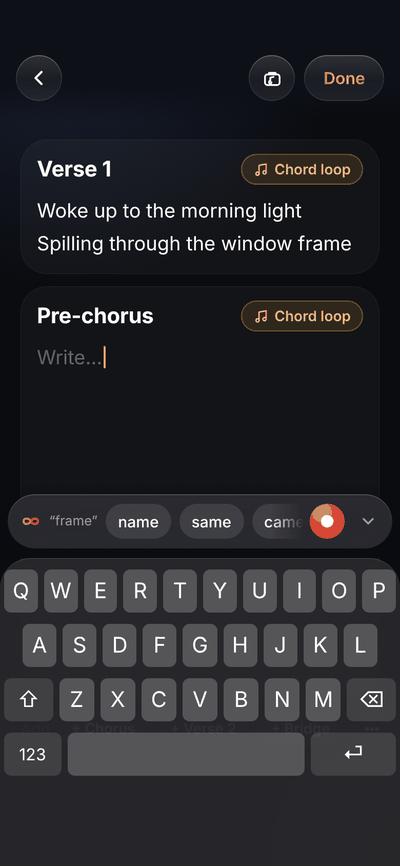
Type the words, and they fall into verses and choruses.
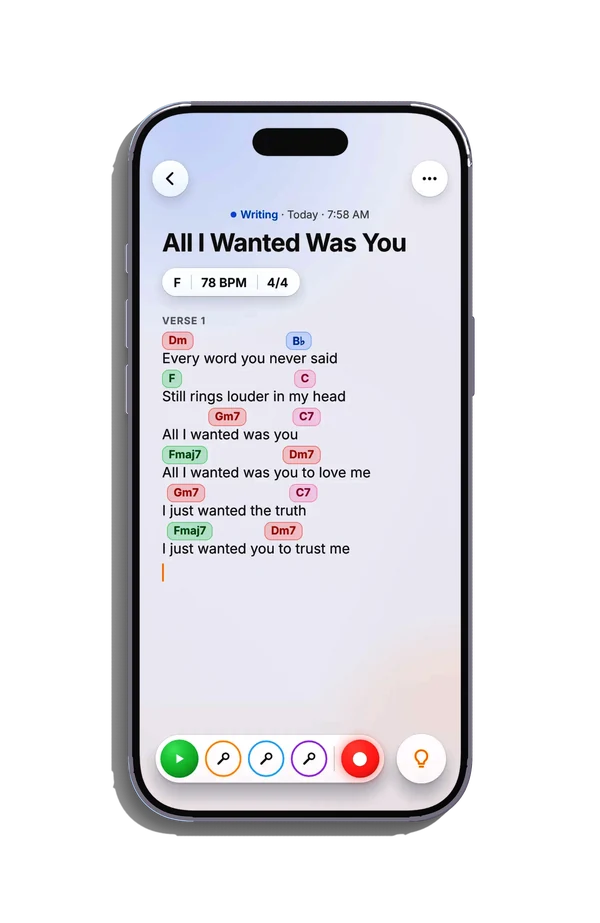
A new song is a plain page, as quick as a note. Lyrics and chord charts paste in with their chords on the right syllables.

Sing it. Play it. Genesis writes it down.
The songwriting app for iPhone that keeps your lyrics, your chords and your recordings together, on one page.

Free to download and to write. For iPhone with iOS 26 or later.
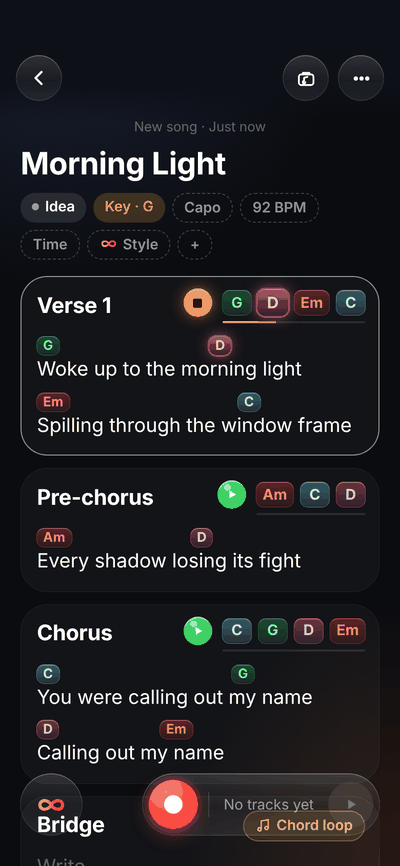
Notes has your lyrics.
Voice Memos has your melody.
Your head has everything else.
Genesis puts it all on one page.
Notes, meet Voice Memos
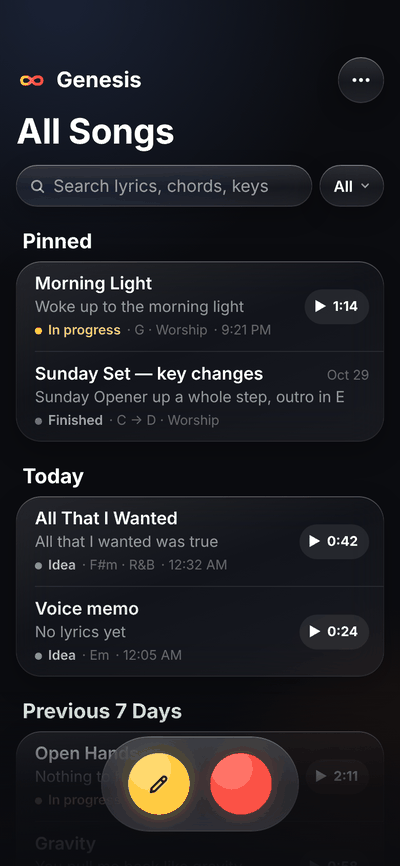
It lives at the bottom of All Songs.
One tap, and the song has started.
Words first, chords first or a melody you can’t stop humming. Genesis follows your lead.
1Write
A new song is a plain page, as quick as a note. Lyrics and chord charts paste in with their chords on the right syllables.
2Play
The Chords bar offers the chords in your key, or type any chord you like. Loop a section’s chords and write the melody over them.
3Sing
One tap on the red button, even from the song list. Takes stack into tracks, each in its own color.
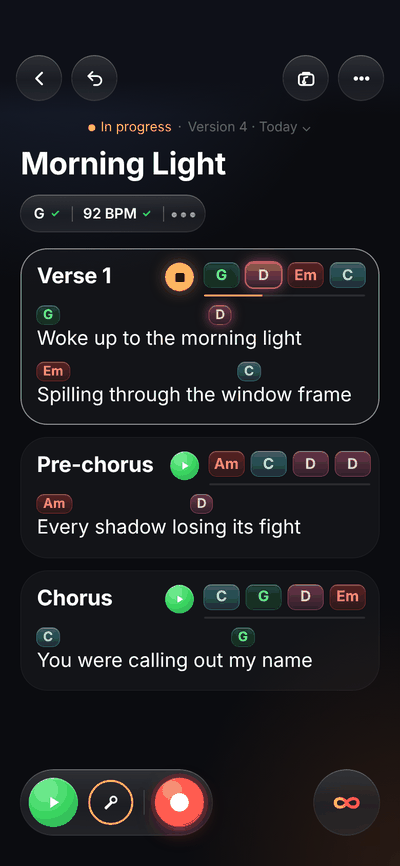
A Verse 1 card. Tapping the space above a word shows a dotted slot and a row of chords; picking one fills the slot. Then a chord is held and slides along the line to another word.
The Lead vocal track panel under the song. Punch In is on, one line is picked under the waveform and turns red, and the red button records over just that line after a short count-in.
Then the magic
The words you sang. The chords you played. The key, the tempo, the time signature.
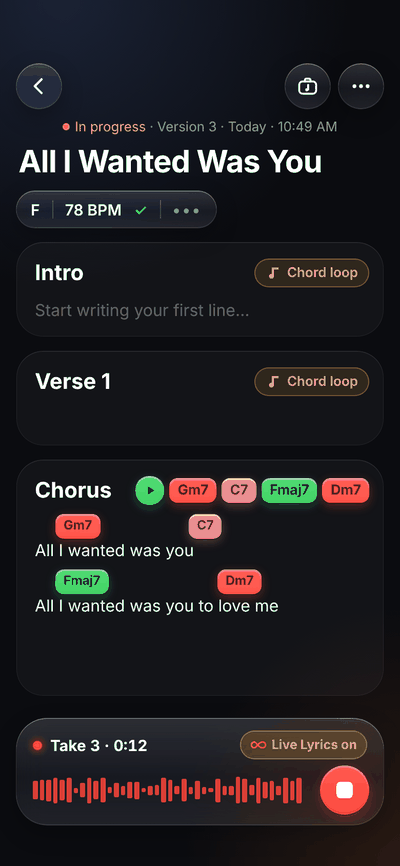
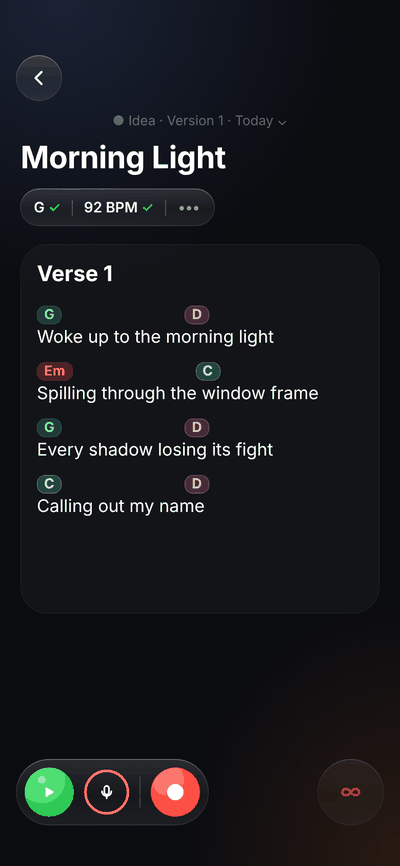
The words you sang land in Verse, Chorus and Bridge, not one long block. Accept them with a tap, or keep writing your own.
Hear a song you love? Hold up your iPhone and Key Finder names its key, then sets yours in one tap.
Pull a recording apart into vocals, instruments, bass and drums, each on its own track.
With Genesis Pro, all on your iPhone. Nothing is uploaded. Tempo and time signature from a recording need iOS 27.
The help you need is already on the page, so you never have to leave the song to find it.
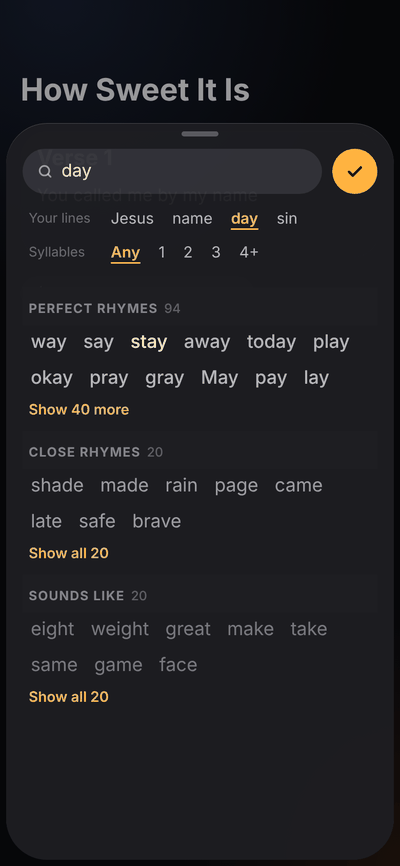
The Rhyme Bar is already waiting above the keyboard. Need more? Rhyme Finder searches more than 31,000 words.
How-To-Play shows its shape in one tap, on guitar or piano. Then play it on the piano that comes with Genesis.

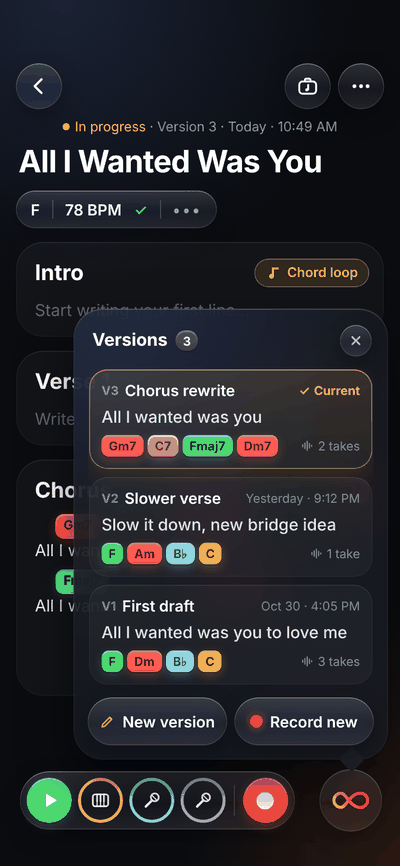
Make a new idea, and keep every one you’ve ever made.
ChordAtlas & ChordCompass Pro
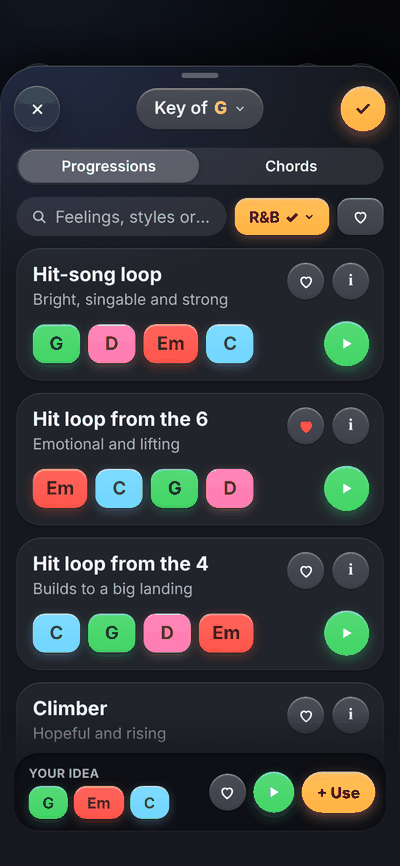
Explore the world of chord progressions in ChordAtlas: more than 300 you can search by feeling, style or song, play out loud, and drop straight into your verse. Don’t know where to go? Use the ChordCompass. Endless inspiration, one tap away.
Need something sad? Search “sad.” Play it. Make it yours.
Play any progression out loud in your song’s key before you use it.
One tap puts the chords into your verse, right over the words.
Suggests the chords that fit next, from your key, tempo, section and the chords around them.
SoundShaper Pro
Stack your takes as tracks, then give each one its own sound. Start with one glowing puck on the Tone Map, or open a full rack of real knobs. Clean up a noisy room, and punch in one line without singing the whole take again.
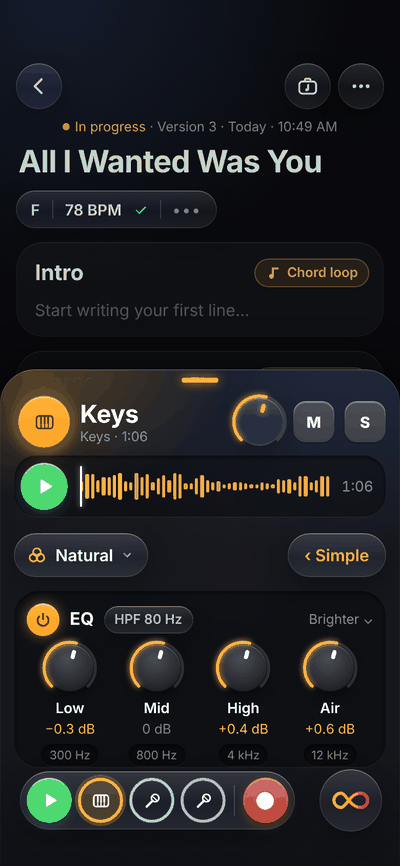
The Keys track panel with its Tone Map. The glowing puck moves from Natural to Warm, Dreamy, Bright and Up front and back, and the sound’s name above the map follows it.
Themes
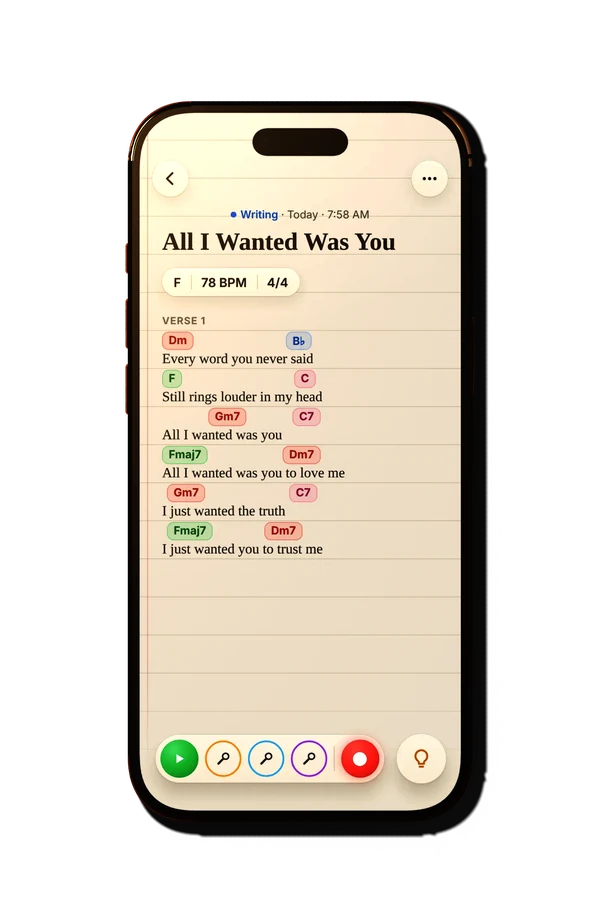
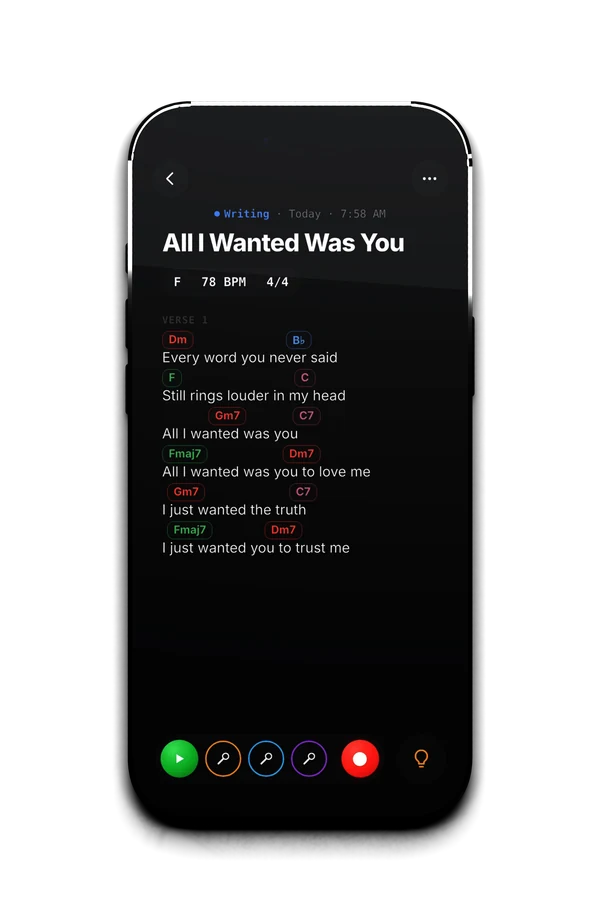
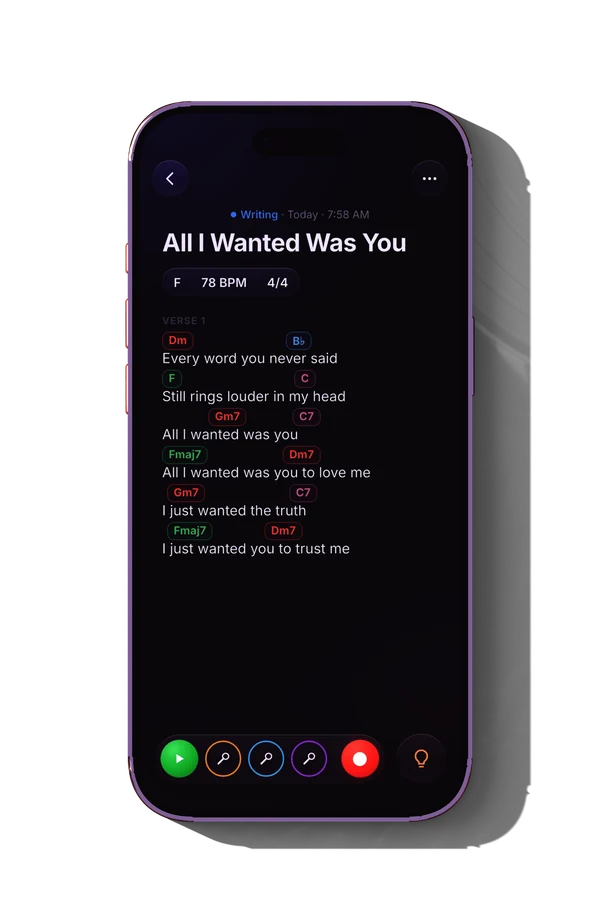
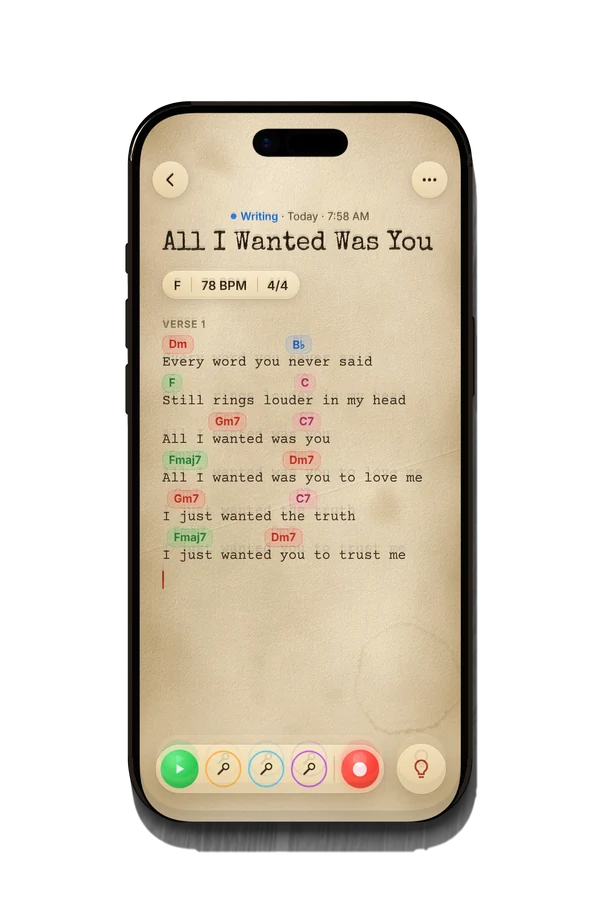
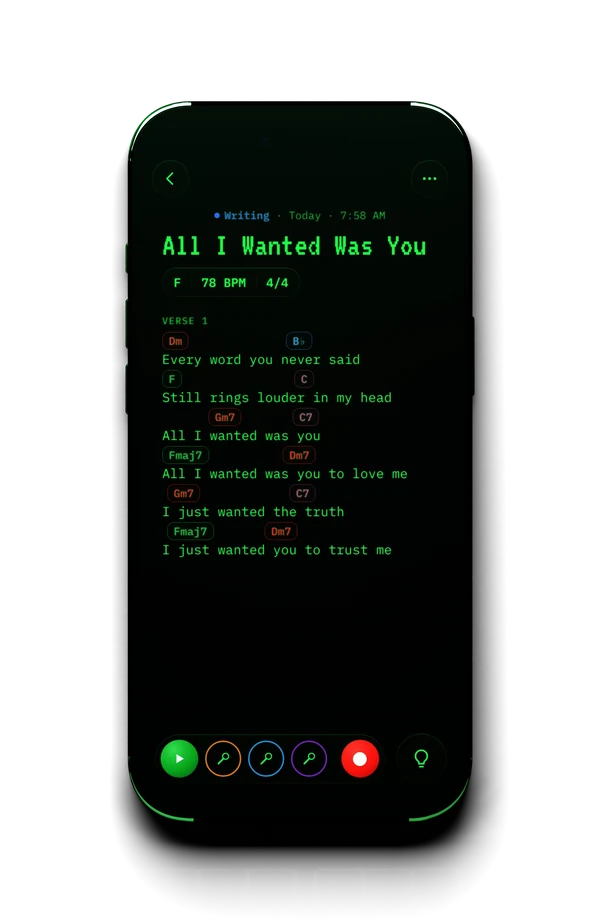
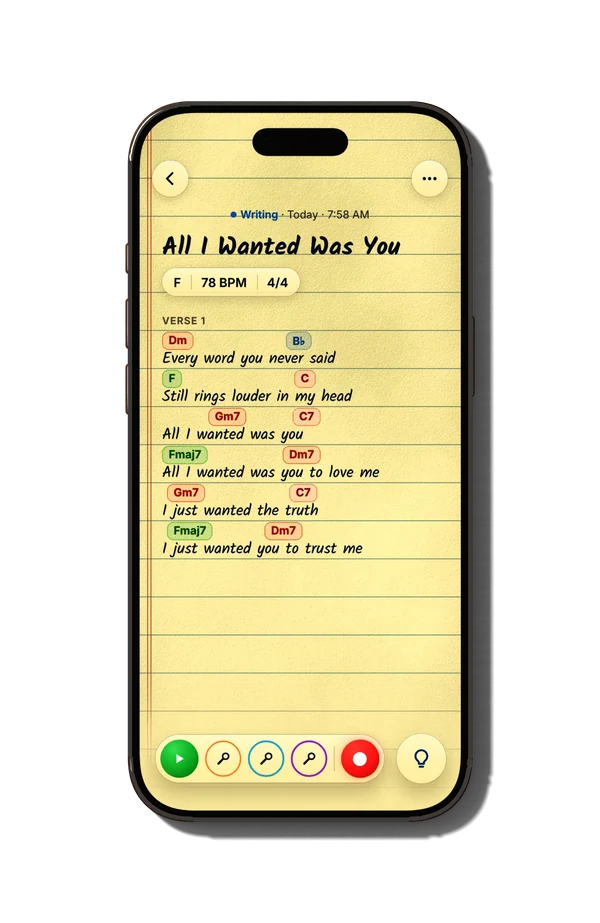
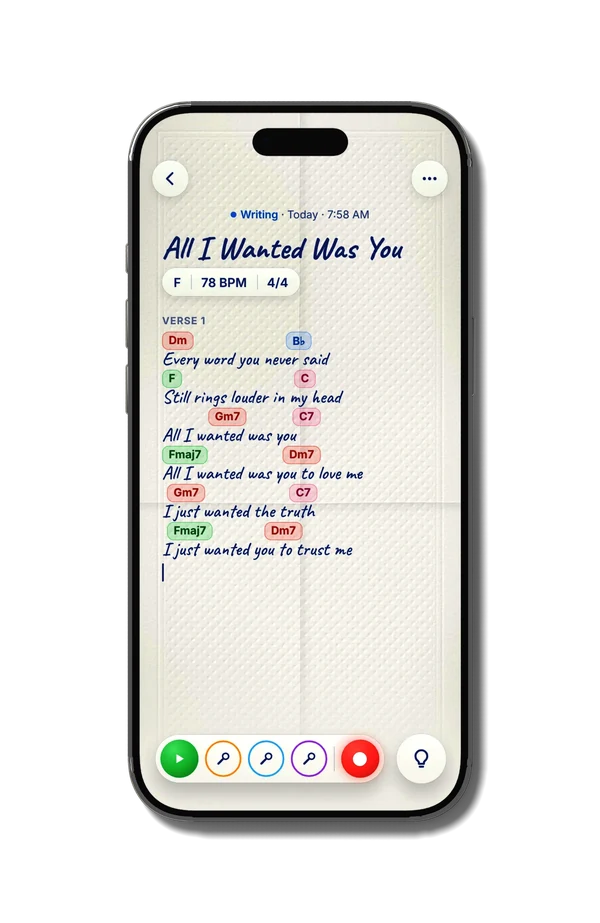
Eight looks for every song: Frosted is free, the other seven come with Pro. Your words and chords never move.
FrostedSoft glass, gentle glow
Text a rough mix to the band. Print a chord chart for Sunday. Send every track, at full quality, to whoever mixes it next.
Send the whole session to Logic Pro, Ableton Live, Studio One and more, every track lined up at the song’s tempo.
Your lyrics, chords and recordings stay free forever. Pro takes a song all the way.
Genesis Pro
$49.99/year
7-day free trial
or $7.99/month
| Feature | Free$0No account, no ads | Pro$49.99/year7-day free trial · or $7.99/month |
|---|---|---|
| Join the beta Download free Nothing to sign up for | Try Pro in the beta Try Pro free for 7 days Pro purchases in TestFlight are free tests Start the trial in the app | |
| Your lyrics, chords and recordingsFree forever. Plus the song, a chord chart and lyrics to export | ||
| Auto Lyrics, Chords, Key & TempoAfter every take, your words, chords, key and tempo land on the page. Tempo and time signature need iOS 27 | ||
| Rhyme Bar & Rhyme FinderRhymes for the word you’re on, right above the keyboard, and more than 31,000 words to search | ||
| ChordCompassDon’t know where to go? It picks chords that fit what comes next | Your key’s 7 chords | |
| ChordAtlasMore than 300 progressions, by feel or style, like sad, dreamy, worship or R&B | ||
| Unlimited tracks and ideas | 3 of each per song | |
| Stem SplitterPull a take apart into vocals, instruments, bass and drums | ||
| How-To-PlayFinger shapes for any chord in your song, on guitar and piano | ||
| Key FinderHold your iPhone up to any music and see its key | ||
| More in Pro | ||
| Instrument SoundsGrand Piano, Synth and Bass, stacked your way | Rhodes | |
| Punch InRedo one line without redoing the take | ||
| ThemesSeven more looks, like Notebook, Rustic Paper, Dusk and Terminal | Frosted | |
| SoundShaperTone Map, Studio Racks and Clean Up on every track | ||
| Vocal TunePitch correction for your voice: Natural, Tight or Robot | ||
| Studio ExportFull-quality WAV of the song and every track | Song audio & PDF | |
| Feature | Free | Pro |
|---|---|---|
| Write | ||
| Song pages with sections you can moveA new song is a plain page. Type “Chorus:” to start a section; swipe sections in Reorganize to duplicate or remove them | ||
| Rhyme Bar and Rhyme FinderRhymes above the keyboard, and more than 31,000 words to search | ||
| Import voice memos, notes and lyrics | ||
| Copy and paste with chordsChords stay on their syllables, from Genesis, chord charts or ChordPro | ||
| Status, tags and search | ||
| Recycling BinDeleted songs and sections wait 30 days, recordings and all | ||
| Chords | ||
| Chord ChipsTap a word to add a chord from your key, hold one to move it. Colors show what each does: green feels like home, red aches, pink leans back toward home | ||
| Chords barYour key’s 7 chords as you write, or type any chord | ||
| Chord LoopsA section’s chords on repeat, to write the melody over | ||
| How-To-PlayGuitar and piano finger positions for every chord in the song | ||
| PianoPlay melodies and chords on two rows of keys, lit with finger numbers | Rhodes | All four sounds |
| Instrument SoundsRhodes, Grand Piano, Synth and Bass. Grand Piano needs iOS 27 | Rhodes | All four, layered |
| ChordAtlasMore than 300 progressions to search by feeling, style or song, play out loud and drop into a section | ||
| ChordCompassSuggests the chords that fit next, from the key, tempo, section and the chords around them | ||
| Record | ||
| Tracks per songEach in its own color, with mute and solo | 3 | Unlimited |
| Ideas per songOther takes on the whole song, one tap away | 3 | Unlimited |
| Hear yourself while you recordWith wired headphones or an interface | ||
| Keep writing while you record | ||
| Metronome and tuner | ||
| Records in the backgroundWith a Live Activity on the Lock Screen and Dynamic Island | ||
| Punch InRedo one line without redoing the take; the old take is never lost | ||
| From your takes | ||
| Auto LyricsWrites down the words you sang and sorts them into Verse, Chorus and other sections. Downloads a speech model of about 250 MB on Wi-Fi the first time | ||
| Auto ChordsFinds the chords you played and puts them over the words | ||
| Auto Key & TempoFills in the key, tempo and time signature. Tempo and time signature need iOS 27. The metronome and chord loops follow; you can always type them yourself | ||
| Key FinderHold your iPhone up to any music and it names the key, then sets your song’s key in one tap | ||
| Stem SplitterSplits a recording into vocals, instruments, bass and drums, each as its own track | ||
| Sound | ||
| Tone MapOne puck toward Warm, Bright, Dreamy or Up front; Level Match keeps the volume steady | ||
| Studio RacksEQ, Compressor, Reverb and Delay | ||
| Clean UpLess noise, hum, harsh “s” sounds and room echo | ||
| Vocal TunePitch correction for vocal tracks, from a light touch to the robot sound | ||
| Export | ||
| Song as audio (M4A)A mixed file small enough to text | ||
| Chord chart (PDF) and lyricsChords over the right words | ||
| Studio ExportFull-quality WAV of the song and of every track, stems included | ||
| Made for you | ||
| Themes, light and darkFrosted is free, all eight with Pro. Plus chord chip colors, Lefty or Righty, app icons and Tips for everyone | Frosted | All eight |
Yearly, $49.99. Starts with a 7-day free trial, then about $4.17 a month. It’s the launch price: start at $49.99 and you keep it for as long as you stay subscribed.
Monthly, $7.99. No trial. Cancel any time.
Nothing you make is ever locked. If Pro ends, every recording still plays and exports, and the sound you shaped is still heard. You just can’t add past the free limits or change Pro settings until you subscribe again.
Genesis Pro is an auto-renewable subscription, bought through the App Store with your Apple Account. Payment is charged to your Apple Account when you confirm the purchase or, if you start the free trial, when the 7-day trial ends. The free trial is for new subscribers to the yearly plan.
Your subscription renews automatically at the same price and for the same length unless you turn off auto-renew at least 24 hours before the end of the current period. Your account is charged for the renewal within the 24 hours before the period ends. Cancel during the free trial and you won’t be charged.
Manage or cancel any time in Settings › Apple Account › Subscriptions on your iPhone. Refunds are handled by Apple at reportaproblem.apple.com. Prices are in US dollars and may vary by country or region, and may include tax where required. See the Terms of Use and Privacy Policy.
Data Not Collected
The developer does not collect any data from this app.
A song is personal before it’s anything else. Genesis collects nothing about you, and your songs live on your iPhone.
Open it and start writing.
Lyrics, chords, key, tempo and stems are worked out on-device.
No analytics or advertising code in the app.
A song leaves only when you export or send it.
Yes. Writing, chords, up to 3 tracks and 3 ideas per song, and exporting the song, a chord chart and lyrics are free. No account needed. Pro adds the rest, with a 7-day free trial on the yearly plan.
No. Genesis runs on iOS 26 and later. Only two things need iOS 27: tempo and time signature from a recording, and the Grand Piano. Auto Lyrics, Auto Chords, the key, Stem Splitter and everything else work on iOS 26.
Yes, even in airplane mode. Two things download once: the Auto Lyrics speech model (about 250 MB) and the Grand Piano sound, the first time you use each.
Genesis 1.0 is for iPhone. iCloud sync between your devices comes next, and Genesis for iPad and Mac is part of the bigger plan.
Yes, with Pro. Studio Export gives you every track as a WAV, stems included, all starting at the top of the song, so they line up in Logic Pro, Ableton Live, Pro Tools or any other DAW. Full session files for your DAW are on the way.
Until sync arrives, your songs live on your iPhone and are part of its iCloud Backup, so they come back when you set up a new iPhone from that backup. More on moving to a new iPhone
Placeholder: three short quotes from beta testers go here after the beta.
[Tester quote, one or two sentences]
[Tester quote, one or two sentences]
[Tester quote, one or two sentences]
The notebook, the tape recorder and the bit of magic in between.
Simple enough for a voice memo. Deep enough for an album.
Genesis is in beta on TestFlight. Join, write something, and tell me what you think. I read every message.
Genesis is free to download and free to write in. Your next idea has somewhere to go.